Keep a reference.
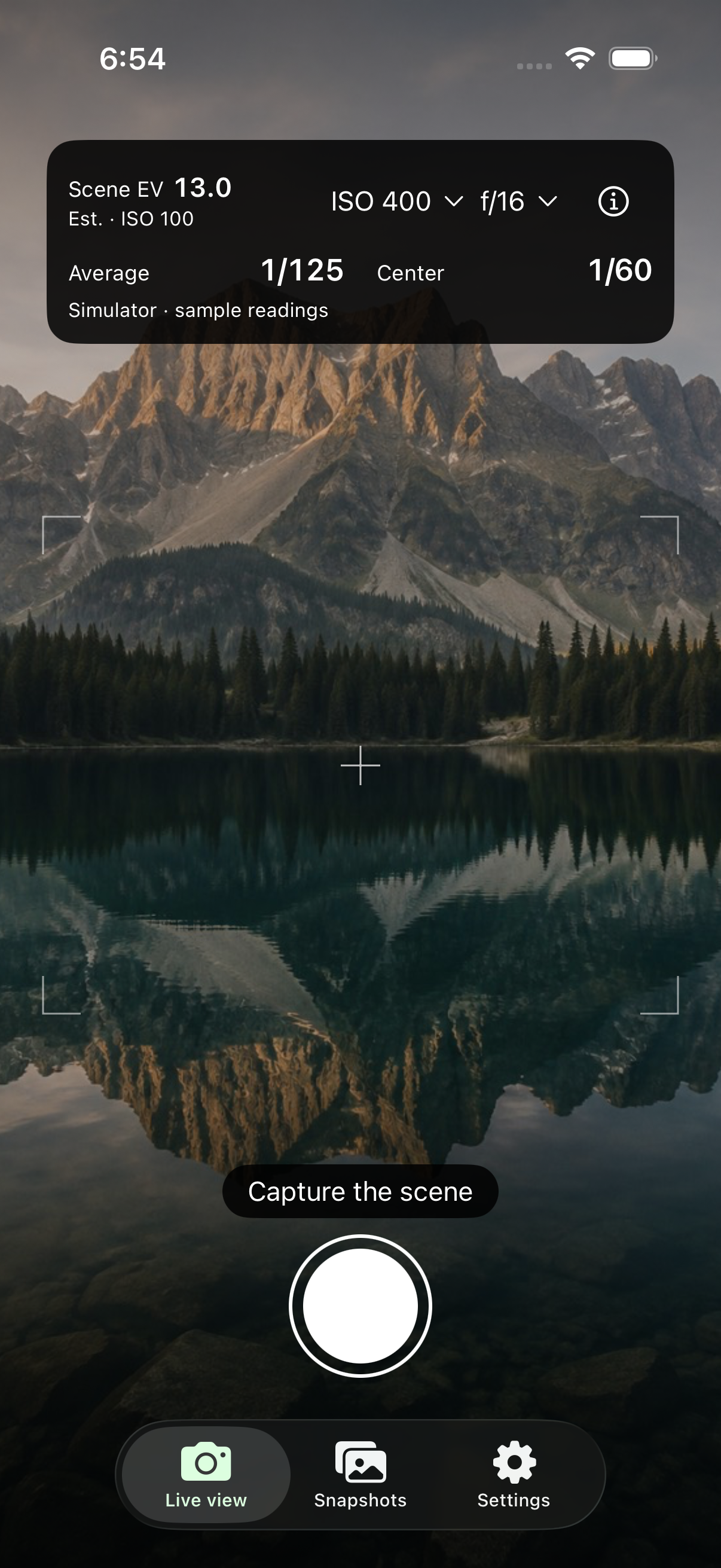
Capture the scene on your iPhone or enter an exposure manually. Record your film, camera, lens, filters, and the details you’ll want to remember.
 All projects
A field notebook for film photography
The light. The settings. The reason you took the shot. Keep them with a reference photo, then bring back the finished scan to see what worked.
Coming soon for iPhone · No public download yet · iOS 26 and later
From the first reading to the finished frame
Film takes time. By the time the scans arrive, it’s easy to forget which filter you used, where you metered, or what you wanted to try. Frame Notes keeps that context close.
Capture the scene on your iPhone or enter an exposure manually. Record your film, camera, lens, filters, and the details you’ll want to remember.
Track separate rolls and frame numbers across your cameras. Give a roll a name, add a place, or save a one-off exposure outside a roll.
Add finished scans from Photos or Files. Compare them with your reference images and recorded settings, and carry what you learn into the next frame.
For the exposures that take a little more thought
Combine filters and see compensated shutter or aperture choices. For long exposures, use supported film reciprocity factors or your own tested values. Keep the original reading beside the calculation.
Camera readings are estimates. Film corrections depend on the selected stock and settings; use manufacturer guidance and your own tests for important exposures.
How exposure guidance worksA quiet tool in your camera bag
Saved photos, notes, exposure calculations, and the bundled field guide work offline. Keep personal shooting notes alongside cheat sheets for stops, Sunny 16, filters, and long exposures.
No account, advertising, or tracking SDKs. Your reference media and notes are stored locally. Apple Photos and device backups follow your Apple settings.
Read the privacy policy
Frame Notes by Bent Moon Studio
Preparing for the App Store. Already testing Frame Notes? Find help and send feedback through the beta support page.
Beta & support